
Morse Keyboard

Coming soon to the App Store

How it works

How Morse Keyboard works

Morse Keyboard rests on one idea: the Morse code tree. The tree is the alphabet, laid out by Dots and Dashes, and you type on it every day.

Coming soon to the App Store See the course
The Morse code tree. From the space bar, Dot climbs left and Dash climbs right: E and T first, then I, A, N, M, then S, U, R, W, D, K, G, O, then H, V, F, L, P, J, B, X, C, Y, Z, Q. The path to R is lit: Dot, Dash, Dot.spaceETIANMSURWDKGOHVFLPJBXCYZQR
R is Dot, Dash, Dot: left, right, left.

Reading the tree

The Morse code tree explained

Every Morse letter is a short string of two marks, Dot and Dash. Draw those strings as a path and they form a tree.

  1. Start at the top.
  2. A Dot takes you one step left. A Dash takes you one step right.
  3. Where you stop is your letter.

One step gives two letters: E is a single Dot and T is a single Dash. Two steps give four: I, A, N and M. Three steps give eight: S, U, R, W, D, K, G and O. Four steps give the rest of the alphabet.

That is why the tree is easy to follow. Letters that share a start share a branch. S (...) is one Dot past I (..), which is one Dot past E (.). Learn one letter and the next is one step away.

Tap a letter below to see and hear its path.

  1. Step 1

    Dot: go left. One Dot is E, the left root beside the space bar.

  2. Step 2

    Dash: go right. From E, a Dash climbs to A. Dot, Dash is A.

  3. Step 3

    Dot: go left again. You stop on R. Dot, Dash, Dot.

The tree, level by level

1 mark

2 marks

3 marks

4 marks

Four spots on the top level stay empty: those codes spell no English letter.

R

Dot, Dash, Dot: left, right, left.

Tree to keyboard

From tree to keyboard

The Morse keyboard puts the tree under your thumbs. Dot climbs left, Dash climbs right, with E and T either side of the space bar. To type a letter, follow its marks.

  • You see the Dots and Dashes of every word as you type, so each message reads back as Morse.
  • Tree shows the whole tree and follows the code you key.
  • QWERTY shows the standard keys, each with its code, plus Dot and Dash paddles.
  • Blindsight hides the tree. You key letters from memory with only Dot and Dash.
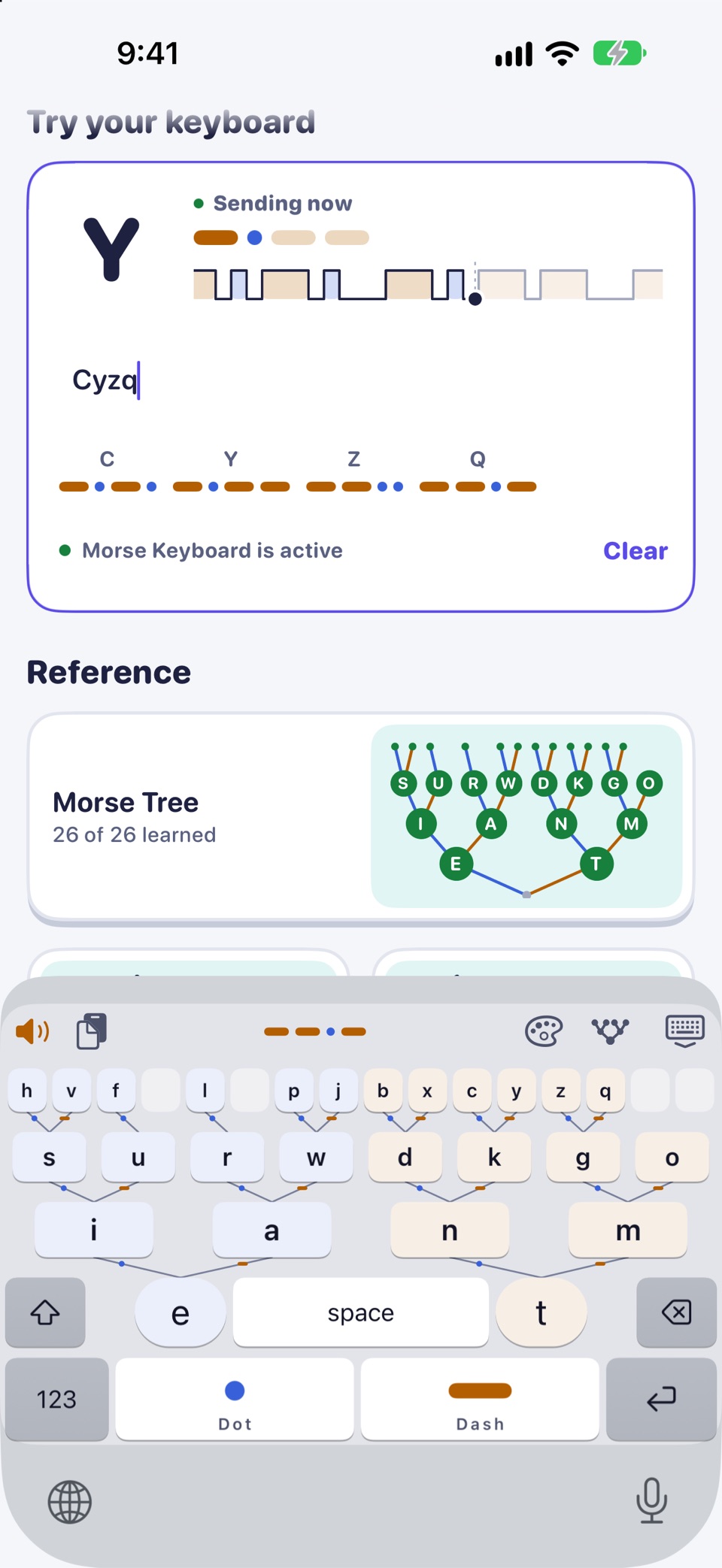
The Morse keyboard, laid out as the Morse code tree, typing in the app's practice field
The tree keyboard, drawn from the app's layout, with the strip showing the word you are typing.
  1. The tree in rows: 16 keys, then 8, then I A N M, narrowing toward the space bar.
  2. E and T either side of the space bar, the two roots of the tree.
  3. Dot and Dash keys along the bottom. Spell a letter and it goes in after a short pause, timed to your own rhythm. Or tap the letter on the tree.
  4. The strip above the keys shows the Dots and Dashes of every word as you type.

Three modes

Tree, QWERTY or Blindsight

One tap on the mode button in the strip moves to the next mode. Pick the one that fits where you are in the course.

  • Tree

    The whole tree on the keys. Tap a letter, or spell it with Dot and Dash and watch where it lands.

  • QWERTY

    A standard QWERTY layout whose keys carry their Morse code, with a Dot and Dash row below for spelling by code.

  • Blindsight

    The tree is hidden and only Dot and Dash spell. For when you are ready to key from memory.

Setup

Setting up the keyboard

Day 1 of the course walks you through it, and you can skip it and come back later.

  1. Open Settings, then General, Keyboard, Keyboards, Add New Keyboard, and choose Morse Keyboard. The app's Open Settings button takes you most of the way.
  2. In any app, tap and hold the globe key and choose Morse Keyboard.
  3. Full Access is optional. Turn it on only for sound, haptics, themes and word suggestions in the keyboard.

Full setup steps

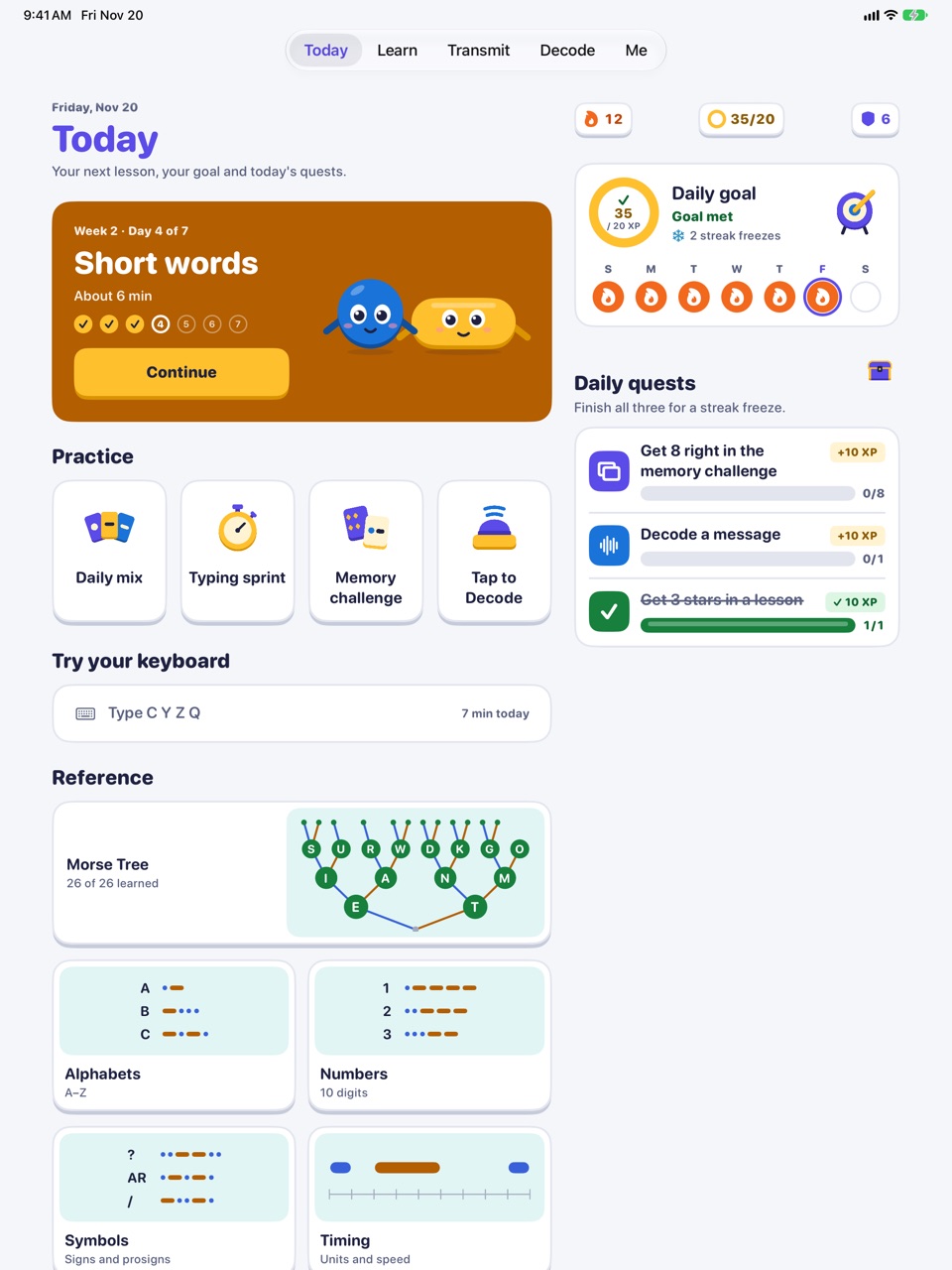
Today on iPad: the next lesson, practice, daily goal and quests side by side
On iPad: Today keeps the next lesson, practice and your goal side by side.

Full Access

It types without Full Access

Turn Full Access on only if you want the extras. Either way, the keyboard never connects to the internet, and nothing you type is stored or sent.

Private by design

No accounts, no ads, no analytics, no network code. Read the privacy policy

Tip: iOS uses its own keyboard for password and phone-number fields. That is an iOS rule for every third-party keyboard.

What Full Access changes
In the keyboardOffOn
Types in Messages, Notes, Mail and your other apps
Dots and Dashes of every word as you type
Tree, QWERTY and Blindsight modes
Tones and haptics as you key (with Pro)
The keyboard theme you picked (Classic otherwise)
Word suggestions
Paste text you decoded on the Decode screen
Sends what you type anywhereNeverNever

The course: a weekend, then four weeks

The course, block by block

  • About 35 minutes on Day 1
  • Then 4 to 10 minutes a day
  • Nothing locked by the calendar
Coming soon to the App Store What is free, what is Pro
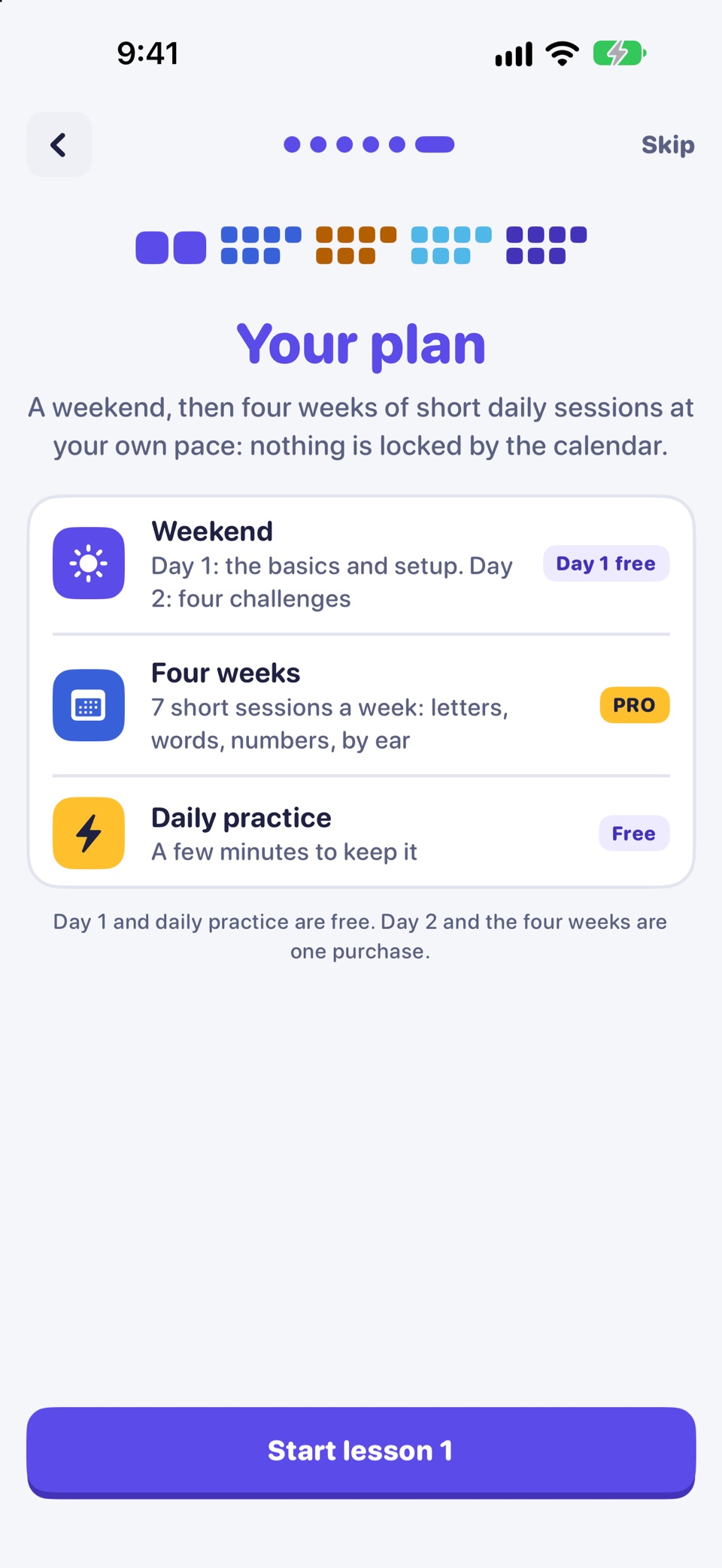
Onboarding, Your plan: a weekend then four weeks, with Day 1 free
Your plan, as the app shows it on day one

The whole course, as one line of Morse

Each small dot is one lesson. 36 in all.

  1. Day 1 FreeBasics and setup · 4 lessons
  2. Day 2 ProChallenges · 4 lessons
  3. Week 1 ProAll 26 letters · 7 lessons
  4. Week 2 ProWords and typing · 7 lessons
  5. Week 3 ProNumbers, marks and phrases · 7 lessons
  6. Week 4 ProBy ear, speed and real messages · 7 lessons

A weekend to start, then four weeks. Each block ends with a trophy.

BlockWhat you doAccess
Day 1: Basics and setupMeet Dot and Dash, 14 letters (the top three rows of the tree), first words and SOS, and add the keyboard. About 35 minutes.Free
Day 2: ChallengesFour short challenges on your first 14 letters.Pro
Week 1: All 26 lettersSeven short sessions on the codes of all 26 letters.Pro
Week 2: Words and typingType common words and your own.Pro
Week 3: Numbers, marks and phrasesDigits, punctuation and short phrases.Pro
Week 4: By ear, speed and real messagesTry Morse by ear, time your typing, send a message.Pro

After Day 1, sessions take 4 to 10 minutes a day. "Day 2" and "Week 1" are a suggested pace, not a lock: the next lesson opens as soon as the one before it is done.

The weekend

Day 1 is free. Day 2 brings four challenges.

Day 1 takes about 35 minutes: the basics, 14 letters, SOS and adding the keyboard. Come back for Day 2 when you like.

Day 1: basics and setup

Free
  1. Dot and DashMeet E, T, I and M on the Dot and Dash pad.
  2. First wordsAdd A and N, then copy and type first words.
  3. Setup step: add the keyboardBetween the lessons, add the Morse keyboard in Settings. You can skip it.
  4. Dot branchS, U, R and W down the Dot side of the tree.
  5. Dash branch and SOSD, K, G and O, then SOS.
Day 2: challenges

Pro
  1. Recall 14All 14 letters once, your weakest first.
  2. MirrorsTell the look-alike pairs of Day 1 apart.
  3. Word builderCopy and type words made from your 14 letters.
  4. Beat the clockThree timed typing rounds and SOS.

Safety. In an emergency, call your local emergency number (for example 112 or 911). A phone light or speaker sending Morse is not a substitute for calling for help.

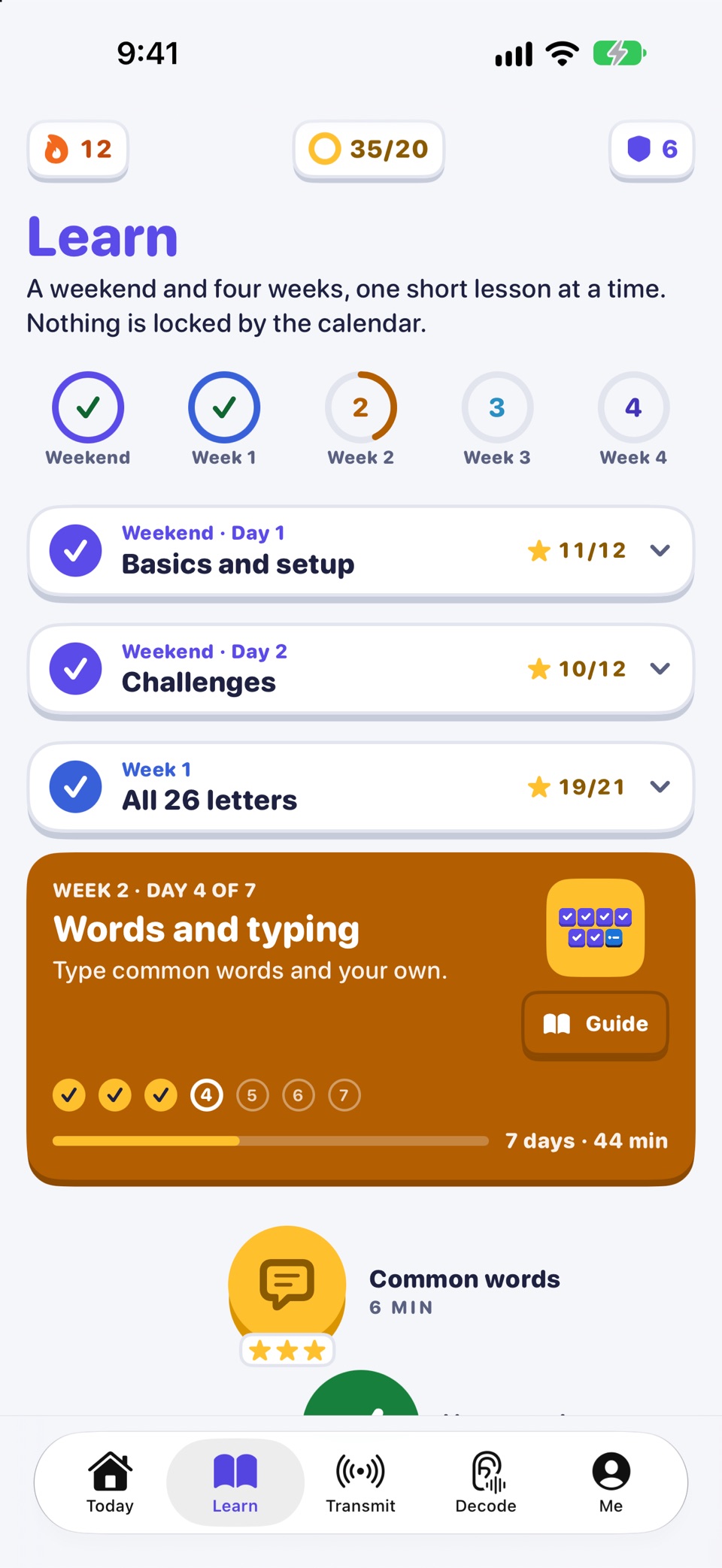
Learn: the weekend and four weeks, with Week 2 under way
The Learn path: the weekend, then the weeks
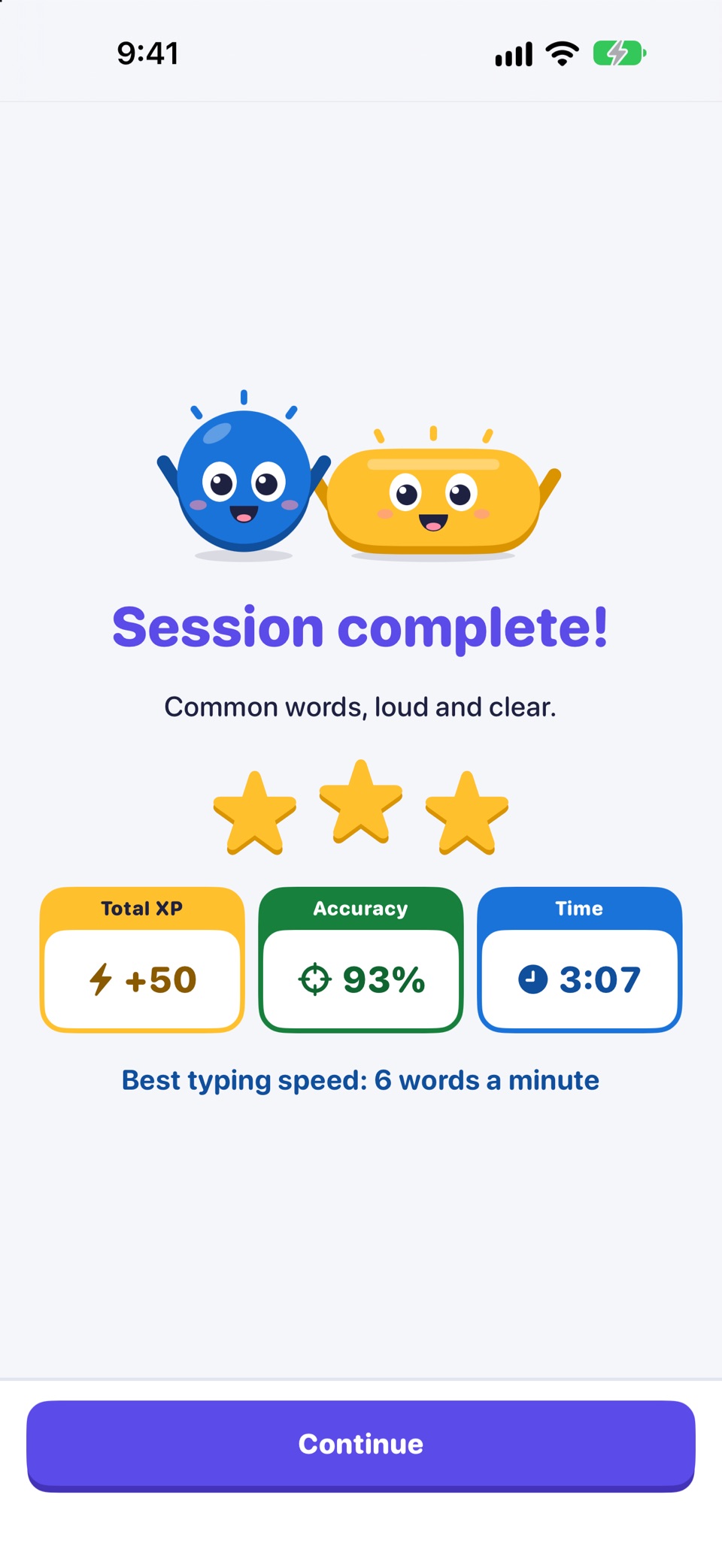
Session complete, with XP, accuracy and time for the lesson
A lesson done, with its stars

Four weeks

Seven short sessions a week

Each week is seven sessions of 4 to 10 minutes. "Session 3 of 7" is a place on the path, not a date: the next one opens when you finish the one before. A reminder can nudge you each day.

Week 1 Pro

All 26 letters

Seven short sessions on the codes of all 26 letters.

  1. Deep dots. Learn H, V, F and L.
  2. Middle row. Learn P, J, B and X.
  3. Last four. Learn C, Y, Z and Q: that makes all 26.
  4. Look-alikes. Tell the nine look-alike pairs apart.
  5. Marks off. Key letters from memory with no marks shown.
  6. Whole-alphabet words. Copy and type words that use J, Q, X, Z, V and B.
  7. Alphabet check. All 26 letters once, then a sentence with every letter.

Week 2 Pro

Words and typing

Type common words and your own.

  1. Common words. Copy and type common English words.
  2. Your words. Your name, HELLO, THANKS, and J, Q, X and Z.
  3. Eyes off. Letters with no marks shown, then a short search.
  4. Short words. Two- and three-letter words by ear and by typing.
  5. Longer words. Five-letter words.
  6. Mix day. A light day: your weakest letters and a few words.
  7. Word check. All 26 from memory, then three timed word rounds.

Week 3 Pro

Numbers, marks and phrases

Digits, punctuation and short phrases.

  1. Numbers by rule. The ten digits by their five-mark rule.
  2. Numbers and marks. Period, comma and question mark; a time and a date.
  3. Questions and replies. Short questions and replies with ? , and .
  4. Phrases and speed. Texting phrases against the clock.
  5. Out and about. Searches, times and numbers in phrases.
  6. Mix day. A light day: weak letters, digits and a phrase.
  7. Phrase check. Digits and marks from memory, then three timed phrases.

Week 4 Pro

By ear, speed and real messages

Try Morse by ear, time your typing, send a real message.

  1. By ear and light. Letters, words and four radio signals by sound.
  2. Ear: letters. Pick letters by sound, with faster marks and wide gaps.
  3. Ear: short words. Copy two- and three-letter words by sound.
  4. Speed rounds. Four timed rounds against your own best.
  5. Real messages. Longer sentences, then send one from the keyboard.
  6. Mix day. A light day: weak letters by ear and a phrase.
  7. Graduation. All 26 from memory, a sentence with every letter, your message.
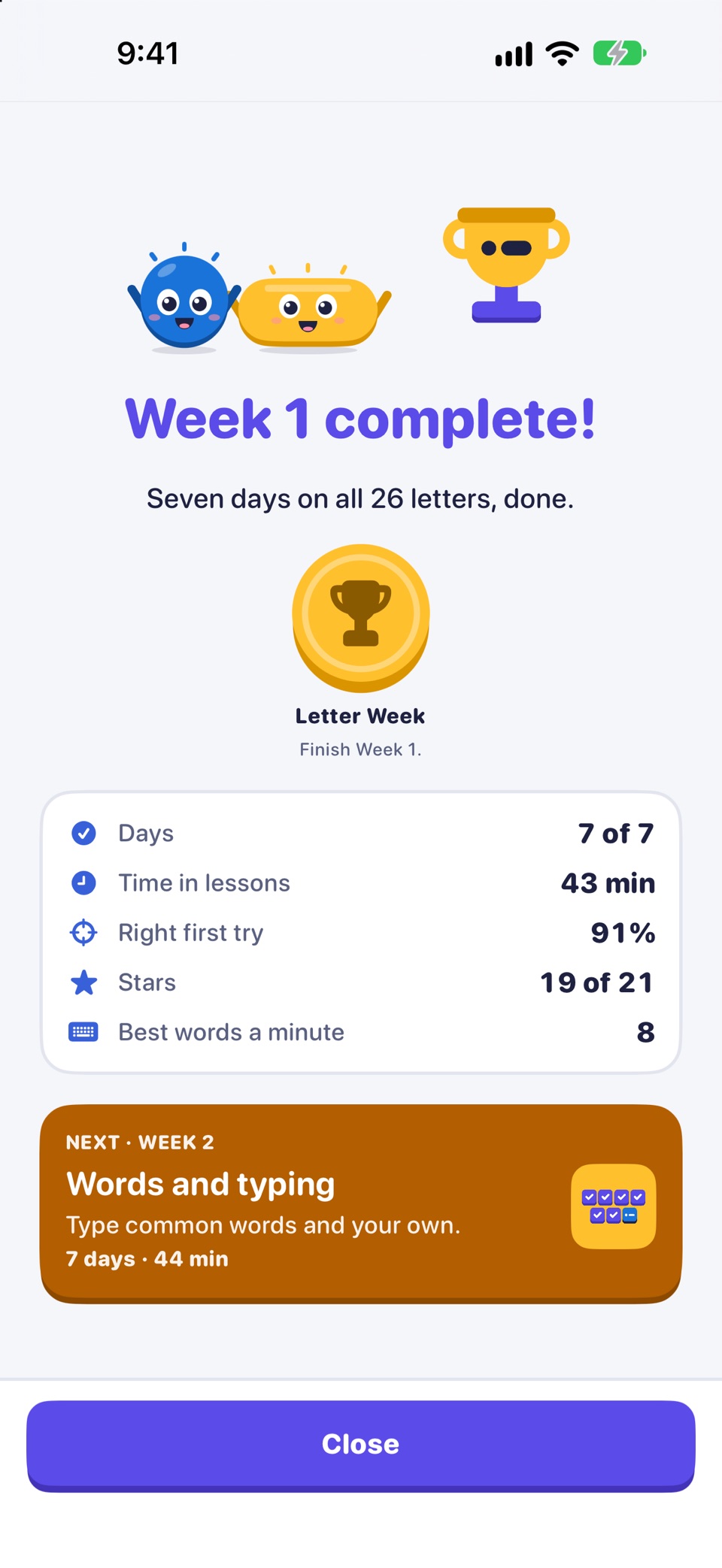
  • The Week 1 ceremony: all 26 letters done, with the Letter Week badge
    Week 1: all 26 letters
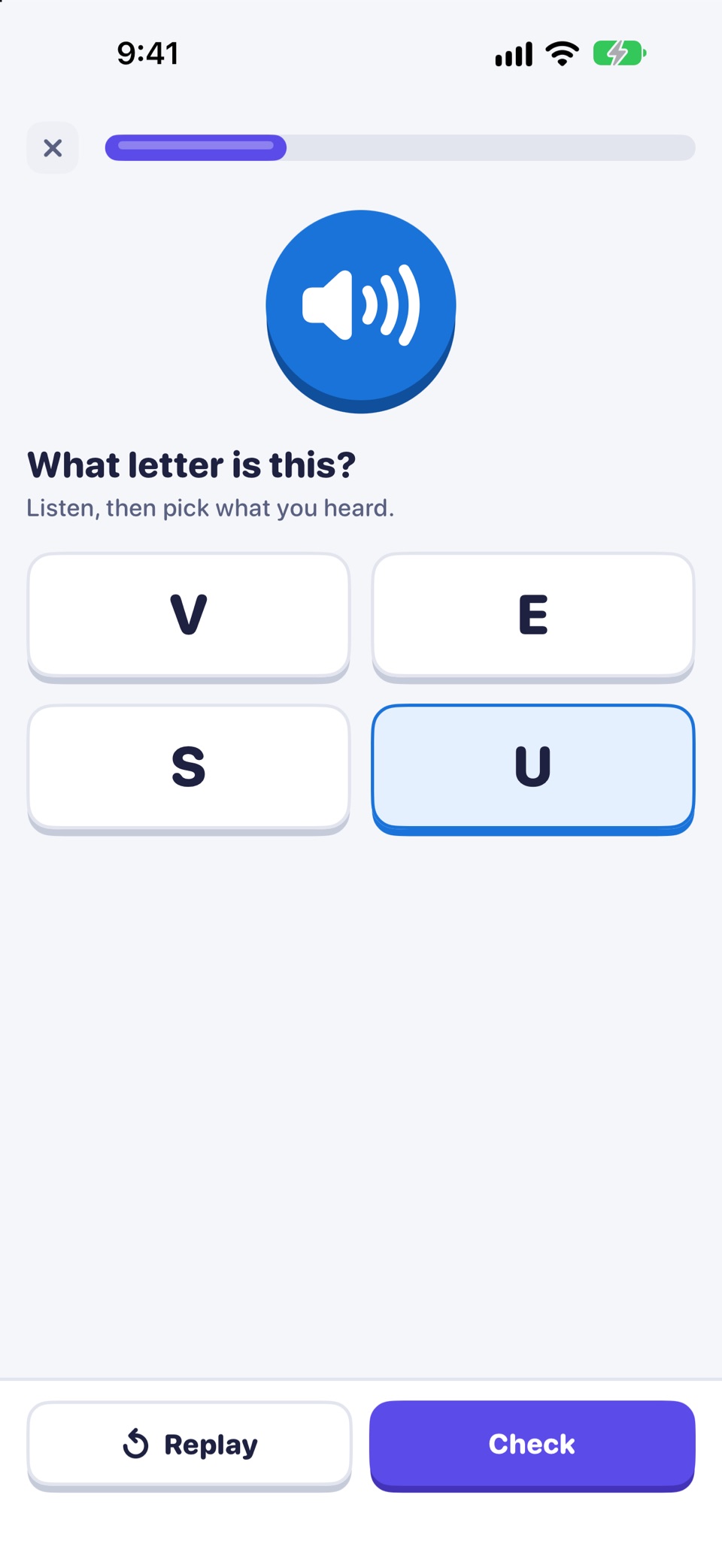
  • A lesson exercise: listen to a letter, then pick what you heard
    Hear it: pick the letter you hear
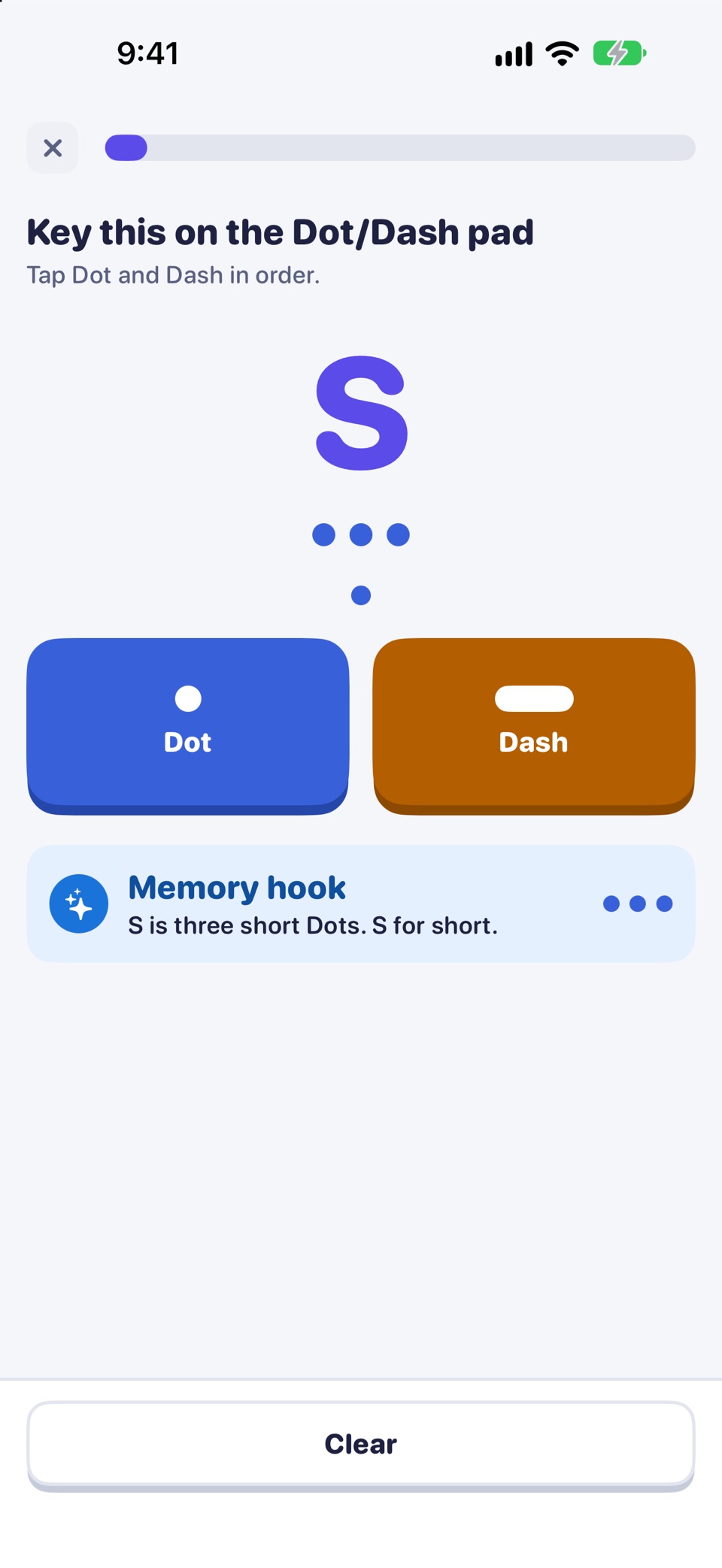
  • A lesson exercise: key the letter S on the Dot and Dash pad
    Key it: S on the Dot and Dash pad
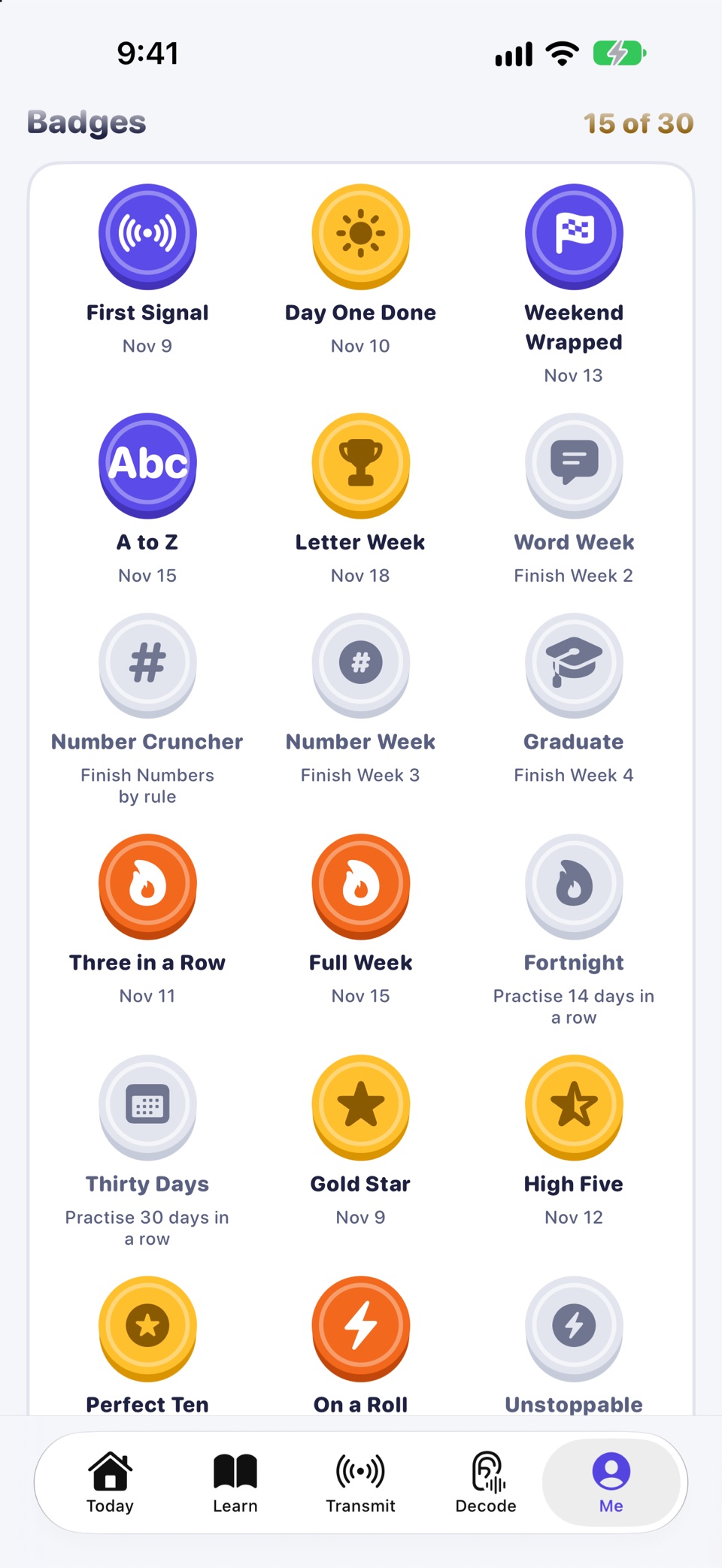
  • Badges earned along the course and the ones still to come
    Each finished block earns a badge

Inside a lesson

How a lesson runs

A lesson is a set of short rounds that mix sound, sight and touch.

  • Hear it. A code plays. Pick the letter.
  • Read it. The marks are shown with no sound. Pick the letter.
  • Key it. A letter is shown. Key it with Dot and Dash.
  • Match it. Pair four letters with their codes.
  • Type it. Type a word or phrase with the Morse keyboard.

Lessons never fail. Anything you miss comes back once more at the end. Your first-try accuracy earns up to three stars.

A lesson exercise: key the letter S on the Dot and Dash pad
Key it: a letter is shown, you key its Dots and Dashes.
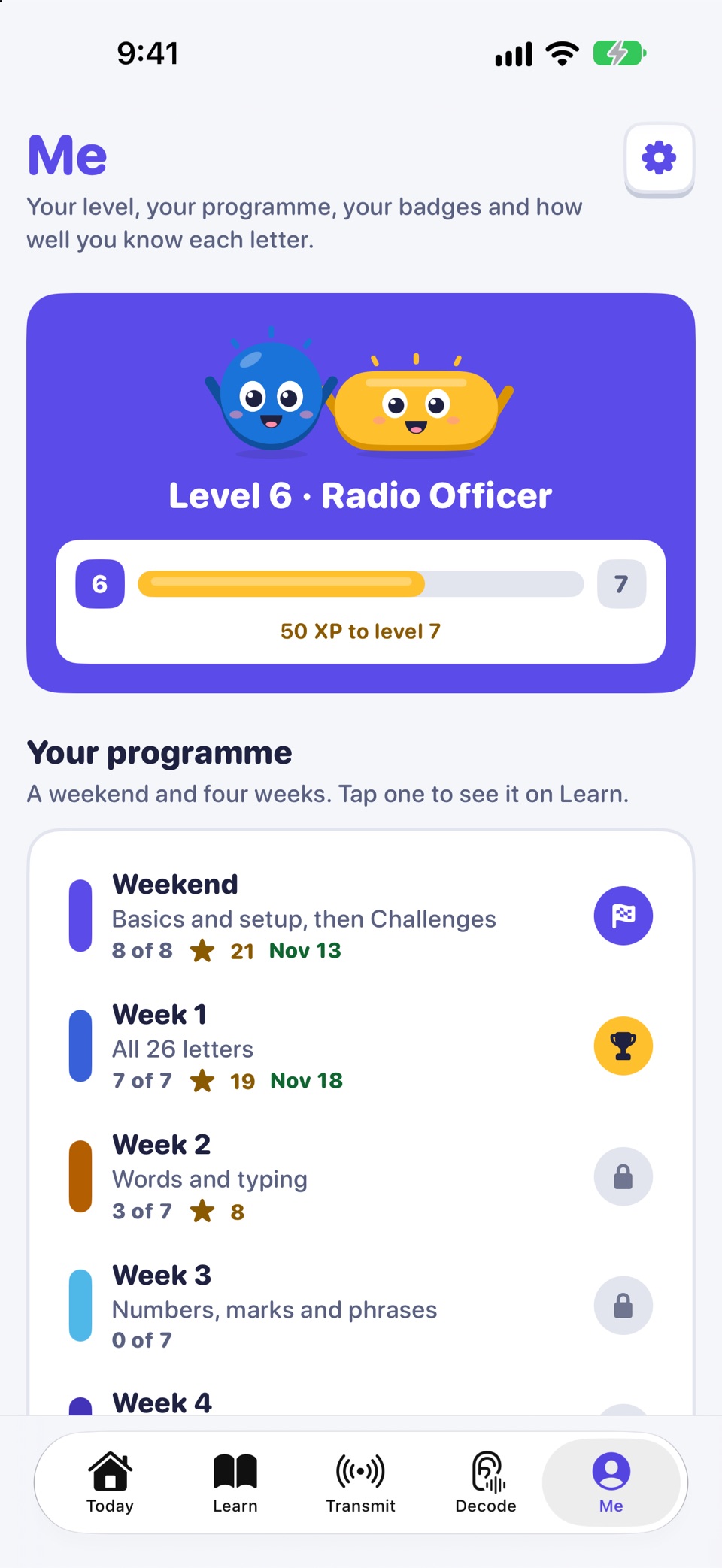
Me: level, progress to the next level and the course so far
Me: your programme, block by block
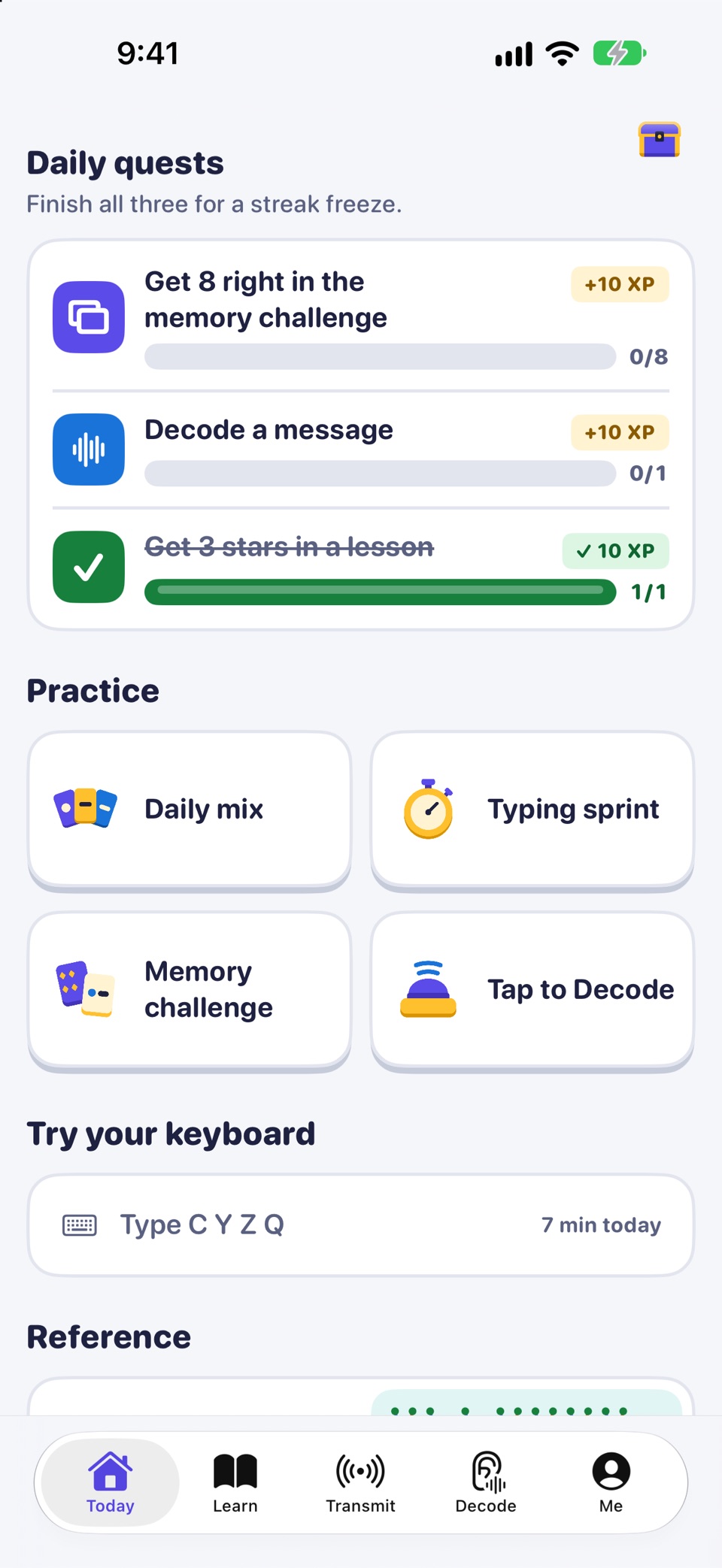
Today's daily quests, practice cards and the keyboard try-out field
Today: quests and practice

Your pace

Daily practice after the course

When the course is done, or between lessons, practice keeps the letters fresh.

  • Daily mix puts your weakest letters first.
  • Typing sprint shows your words per minute.
  • Memory challenge asks you to read Morse from beeps, screen flashes or eye blinks.

And every message you type on the Morse keyboard is practice too.

Morse Keyboard: a keyboard laid out as the Morse code tree, with a course of a weekend and four weeks. Day 1 is free. For iPhone and iPad.

Coming soon to the App Store

Features · Free and Pro · Morse code alphabet · How to learn Morse code

Put the tree under your thumb

The whole keyboard is free, with no limits. Day 1 of the course is free too. For iPhone and iPad, iOS 17 or later.

Coming soon to the App Store