Pricing
Free and Pro
Morse Keyboard is free to download. Pro is a one-time purchase. There is no subscription.
Free to download
Free
- The whole Morse keyboard, with no limits.
- Day 1 of the course: 14 letters, first words and SOS.
- Daily practice with the letters you know.
- The first stage of the memory challenge.
- Transmit, as beeps or a screen flash.
- Decode, Tap to Decode and the Morse Machine.
- The charts.
One purchase
Pro
One-time purchase, no subscription.
- The rest of the course: Day 2 and Weeks 1 to 4. That is the other 12 letters, numbers, punctuation and by-ear sessions.
- Every memory-challenge stage.
- Sound and Haptics: hear every Dot and Dash you key, and feel it on iPhone. Five tones, and your own speed (WPM) and pitch.
- More ways to transmit: a whistle, train horn, buzzer, telegraph, eye blink or, on iPhone, the flashlight.

The price is shown in the App Store, in your currency, before you buy.
Inside Pro
The four weeks, as the app shows them
Day 2 and Weeks 1 to 4 sit on the same Learn path as Day 1. Each week is seven short sessions. On iPhone and iPad.
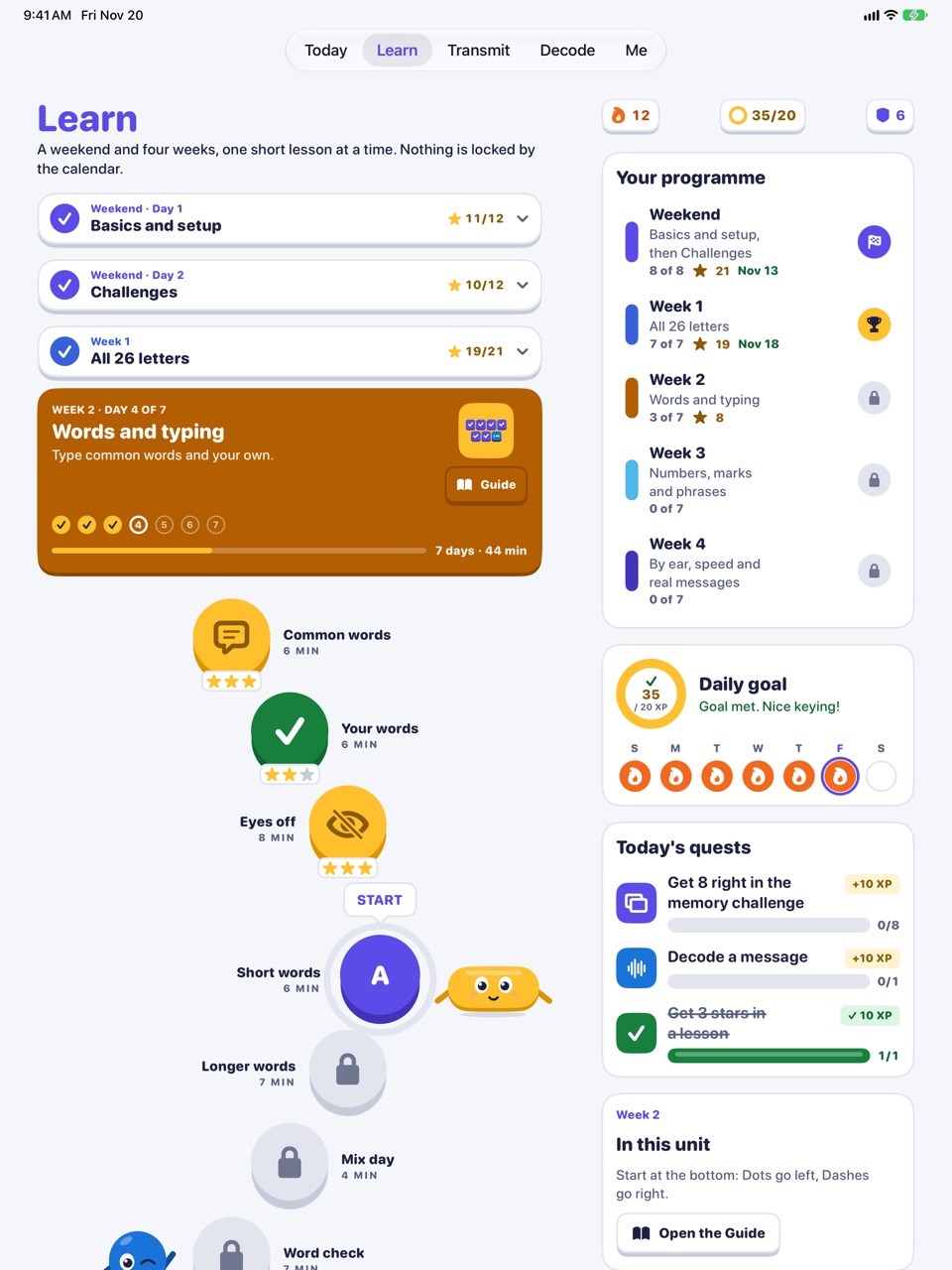
Learn on iPad: the path and your programme 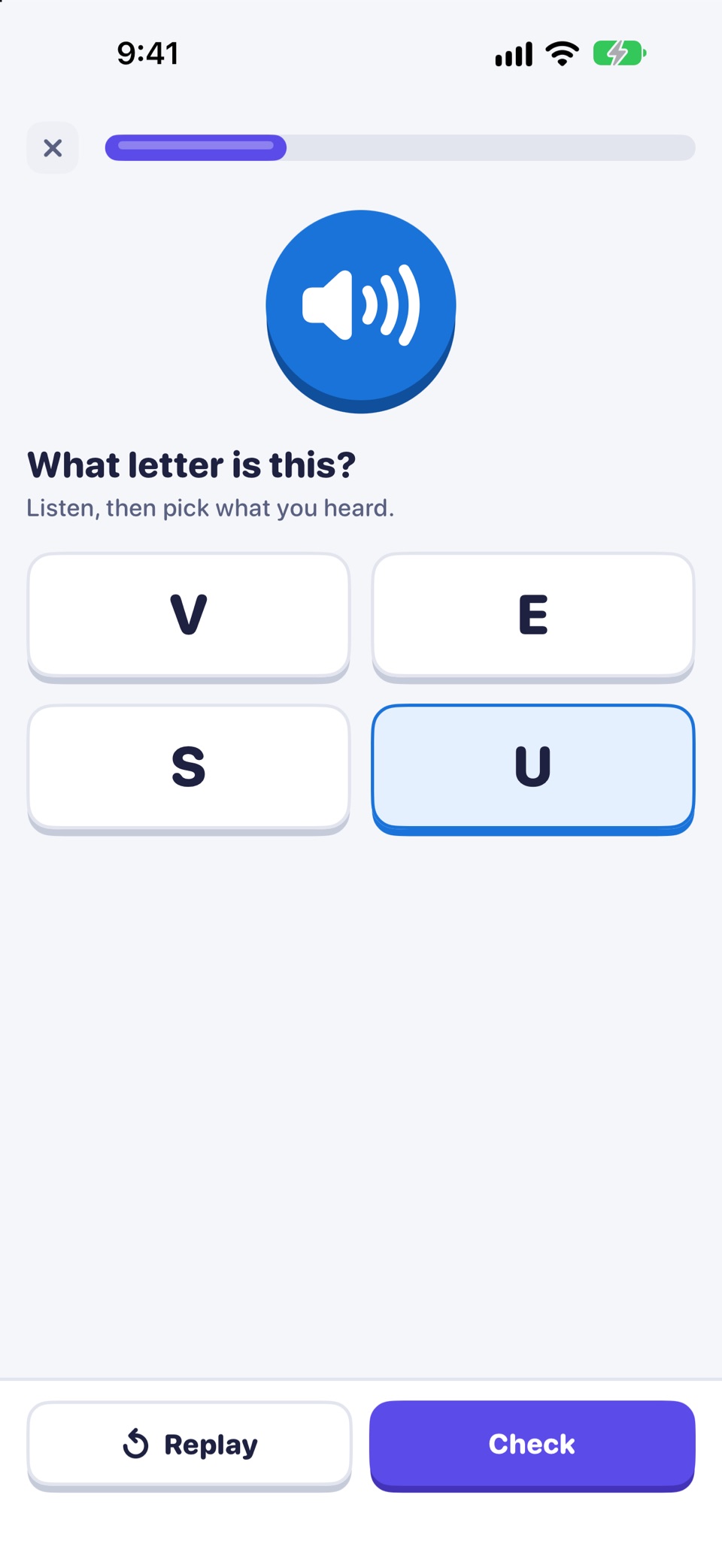
By ear: pick the letter you hear 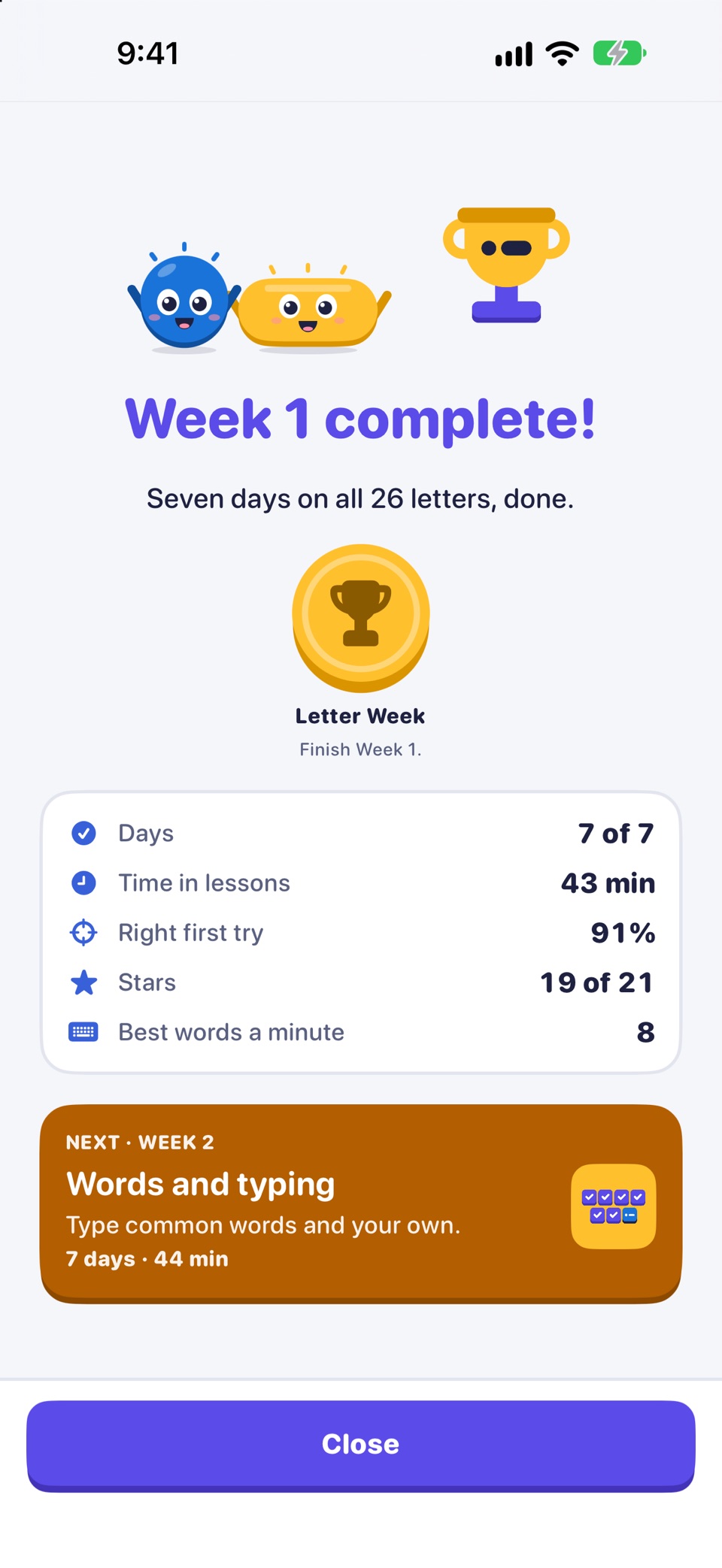
Week 1 done: all 26 letters
Side by side
Free and Pro compared
| Free | Pro | |
|---|---|---|
| Morse keyboard (Tree, QWERTY, Blindsight) | Included | Included |
| Day 1: Dot, Dash, 14 letters, SOS | Included | Included |
| Day 2 and Weeks 1 to 4 | Not included | Included |
| Daily mix and Typing sprint | With the letters you have learned | With the letters you have learned |
| Memory challenge | First stage | Every stage |
| Decode, Tap to Decode, Morse Machine | Included | Included |
| Transmit: beeps and screen flash | Included | Included |
| Transmit: whistle, train horn, buzzer, telegraph, eye blink, flashlight (iPhone) | Not included | Included |
| Sound and Haptics: five tones, speed and pitch | Not included | Included |
| Charts | Included | Included |
| Keyboard themes | Classic look | Sold separately |
Safety. In an emergency, call your local emergency number (for example 112 or 911). A phone light or speaker sending Morse is not a substitute for calling for help.
Sold separately
Keyboard themes
Ten keyboard themes, from Brass Telegraph to Green Terminal. They are sold separately, not part of Pro. Buy one at a time, all ten together, or all ten with Pro in one purchase. You can try any theme free for 10 minutes first.
- One at a time, just the theme you want.
- All ten together in one purchase.
- With Pro: Pro and all ten themes together, in one purchase.
- Aurora
- Brass Telegraph
- Starfield
- Neon Arcade
- Field Notebook
- Deep Sonar
- Sunset Radio
- Green Terminal
- Ham Shack
- Signal Flags
Tip: the keyboard shows your theme only with Full Access on. Without it, it shows Classic and keeps typing as normal.
Buying and restoring
Good to know
Bought through Apple, kept on your Apple Account. Everything works without a connection; only buying or restoring needs the App Store.
- Prices are shown in the App Store, in your currency.
- Purchases are made through Apple and tied to your Apple Account. There is no Morse Keyboard account.
- On a new device, open Settings in the app and tap Restore purchases.
- Refunds are handled by Apple. You can ask for one at reportaproblem.apple.com.
- The app is licensed under Apple's Standard EULA. See App licence.
Morse Keyboard: a keyboard laid out as the Morse code tree, with a course of a weekend and four weeks. Day 1 is free. For iPhone and iPad.
Is Pro a subscription?
No. Pro is a one-time purchase. There is no subscription.
What does Pro unlock?
Day 2 and Weeks 1 to 4 of the course (the other 12 letters, numbers, punctuation and by-ear sessions), every memory-challenge stage, and Sound and Haptics: hear every Dot and Dash you key and feel it on iPhone, five tones, speed and pitch. Pro also adds Transmit as a whistle, train horn, buzzer, telegraph, eye blink or, on iPhone, the flashlight.
Are keyboard themes part of Pro?
No. The ten keyboard themes are sold separately: one at a time, all ten together, or with Pro in one purchase.
I bought Pro. How do I get it on another device?
Use Restore purchases in the app's Settings, signed in with the same Apple Account. Support
Start free. Decide on Pro later.
The keyboard and Day 1 cost nothing. If you want the rest of the course, Pro is one purchase with no subscription.