Ways to type Morse on iPhone
To type in Morse in Messages, Notes or any other app, you add a third-party keyboard in Settings. A few kinds exist:
- A Morse mode in a general keyboard. Gboard, Google's keyboard, has a Morse layout with Dot and Dash keys.
- Dedicated Morse keyboards from the App Store, with their own layouts.
- A tree keyboard, like Morse Keyboard, where the letters sit on the Morse code tree.
Whichever you pick, a few things are worth checking:
- Does it work without Full Access? A keyboard that types without it cannot send anything you type off your device.
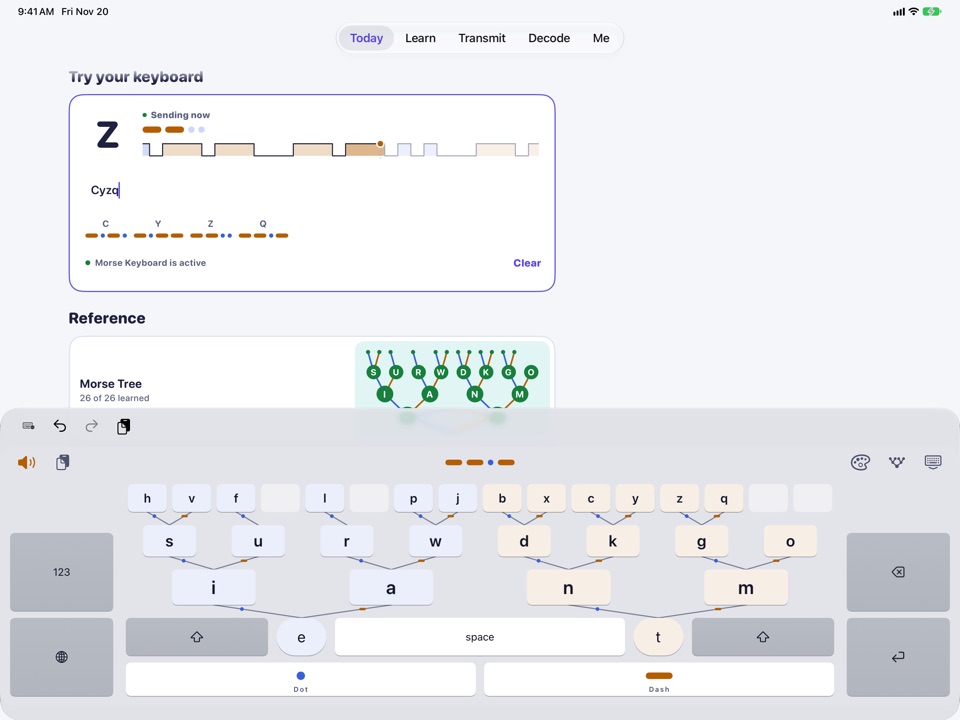
- Does it show the marks as you type? Seeing the Dots and Dashes of each word helps you learn.
- What does its privacy policy say? Look for no accounts, no analytics and nothing stored.
What a tree keyboard is
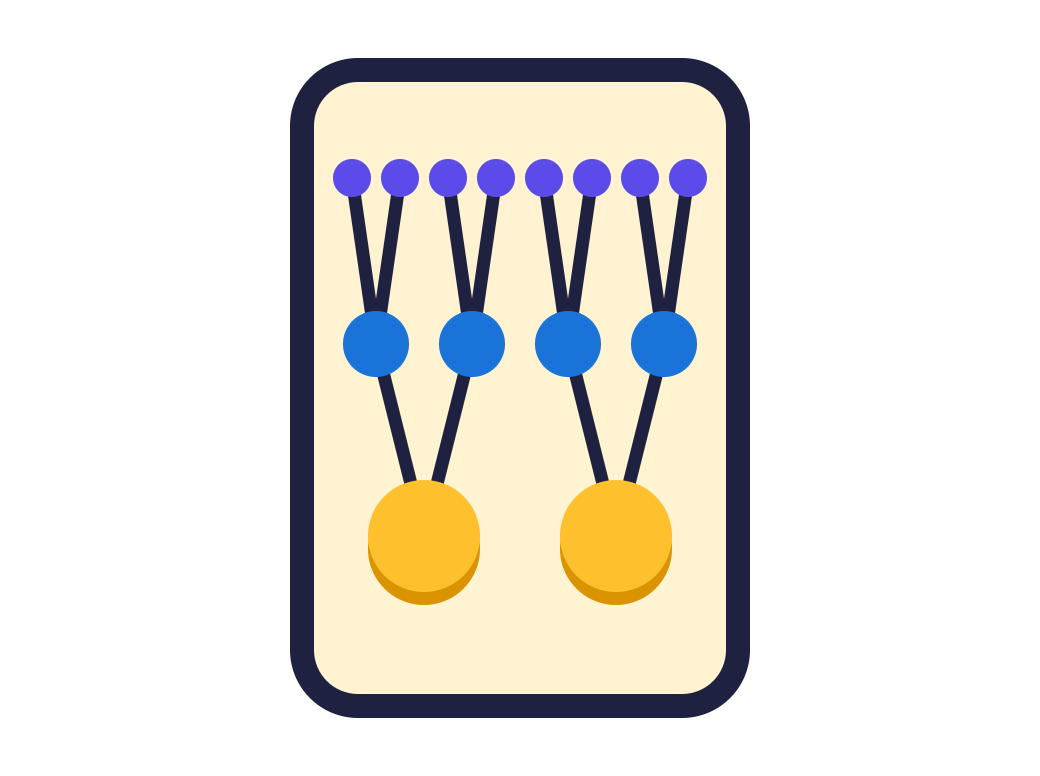
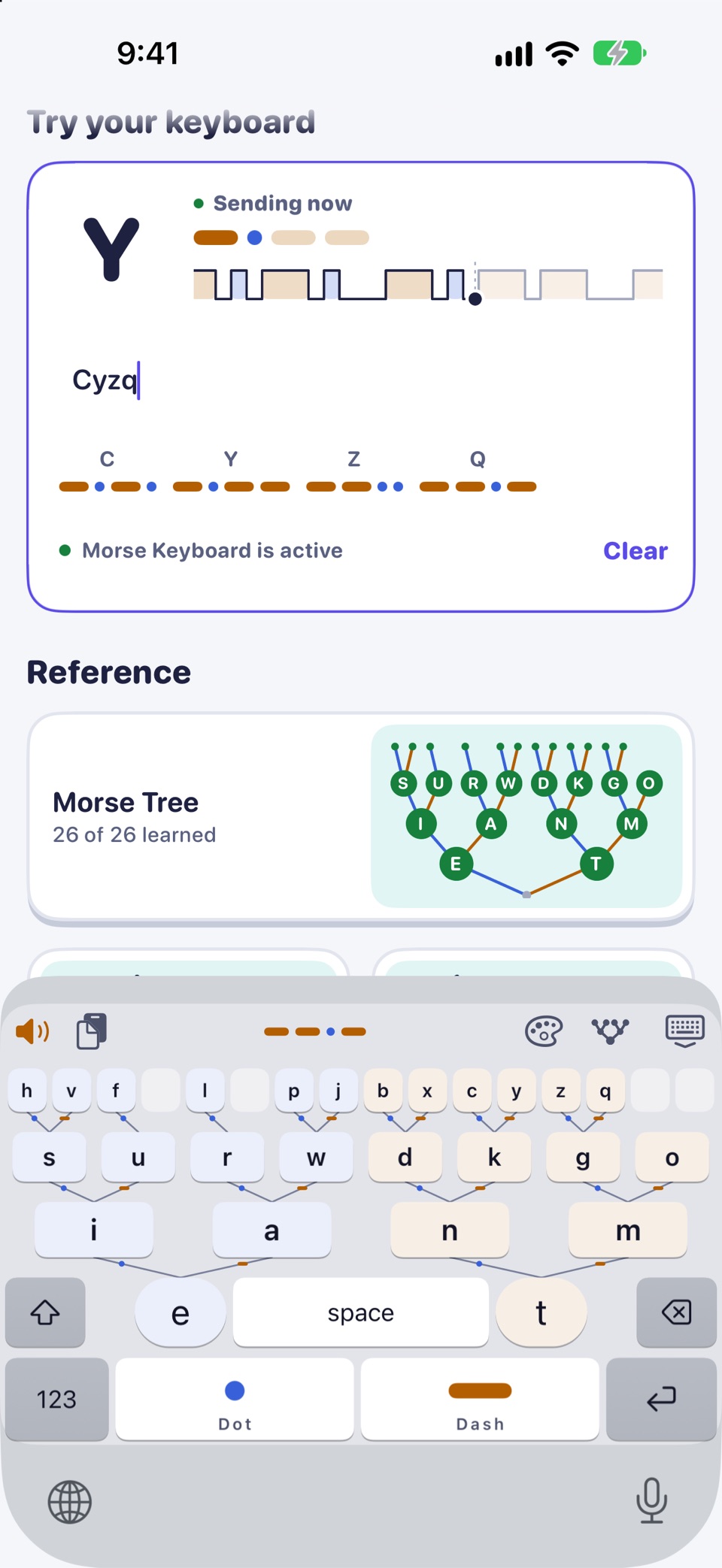
On the Morse code tree, every letter sits where its Dots and Dashes lead: a Dot goes left, a Dash goes right. Morse Keyboard puts that tree under your thumbs. Dot climbs left, Dash climbs right, with E and T either side of the space bar.
The keyboard is also the chart. To type a letter, you follow its marks, so each message you type goes over the alphabet again. When you are ready, Blindsight hides the tree and you key from memory. How the tree keyboard works
Add the keyboard
- Install Morse Keyboard and open it. Day 1 of the course includes setup.
- Go to Settings > General > Keyboard > Keyboards > Add New Keyboard and choose Morse Keyboard. The app's Open Settings button takes you most of the way.
- In any text field, tap and hold the globe key and choose Morse Keyboard.
Full Access is optional. The keyboard types without it. Turn it on only for sound, haptics, themes and word suggestions. iOS shows a standard warning when you do; Morse Keyboard still never connects to the internet or stores what you type. Step-by-step setup
What it can and cannot do
- It types in most apps: Messages, Notes, Mail, search fields and more.
- iOS uses its own keyboard in password and phone-number fields. That is an iOS rule for all third-party keyboards.
- The app cannot switch keyboards for you; use the globe key. iOS remembers your last keyboard in each app.
- Nothing you type is stored or sent. The app has no accounts, no analytics and no network code. Privacy policy

Morse Keyboard: a keyboard laid out as the Morse code tree, with a course of a weekend and four weeks. Day 1 is free. For iPhone and iPad.
Learning while you type
The keyboard comes with a course: a weekend to start, then four weeks of sessions of 4 to 10 minutes. Day 1 is free and covers Dot, Dash, 14 letters and SOS.
- Daily mix drills your weakest letters first.
- Typing sprint shows your words per minute.
Safety. In an emergency, call your local emergency number (for example 112 or 911). A phone light or speaker sending Morse is not a substitute for calling for help.
On iPad
Morse Keyboard runs on iPad too, with iOS 17 or later, and the app's screens are laid out for the larger display. iPad has no flashlight, so Transmit offers its other ways to send there.
Morse Keyboard: a keyboard laid out as the Morse code tree, with a course of a weekend and four weeks. Day 1 is free. For iPhone and iPad.