
We make Morse Keyboard
This page is written by Yarsa Labs, the makers of Morse Keyboard. We have tried to be fair: every statement about another app comes from its App Store listing or official page, read on 22 November 2026, and every statement about our app comes from its source code. Where another app is stronger, we say so. Morse Keyboard is not on the App Store yet, so it has no ratings or reviews of its own.
How we compared
Which apps. We ran eight App Store searches (morse keyboard, morse code keyboard, morse tree, morse code, morse code trainer, cw trainer, morse decoder, learn morse) in the US store and read the 567 unique apps they returned. We kept the trainers with the most ratings or the most complete courses, the Morse keyboard extensions we found, and Gboard.
What counts. A feature is "Yes" only if the listing says so. "Not listed" means the listing does not mention it; the app may still have it. We did not install every app.
Prices are US prices from each App Store page on the check date. They change; check the App Store before you buy.
All 17 apps run on iPhone and iPad.
Names. OCUTECH's listing also uses the words "Morse Keyboard" for its keyboard. On this site, "Morse Keyboard" always means Yarsa Labs' app.
One app we could not include: Morse Toad. Search results still describe it, but Apple's lookup returned no listing for it in the US, UK, Finnish or Indian stores on the check date.
The apps side by side
Scroll sideways on a phone; the app names and column headings stay in view.
| App | Keyboard in any app | Course | Ear-training method | Practice and games | Decode from the mic | Key or tap input | Send as light or sound | Settings (as listed) | Ads |
|---|---|---|---|---|---|---|---|---|---|
| Morse Keyboard (ours) | Yes: tree, QWERTY with Dot and Dash paddles, Blindsight | 36 lessons | Farnsworth, 15–20 WPM characters at 6–10 WPM; tree order, not Koch | Daily mix, typing sprint, memory challenge, quests, badges | Yes | Tap to Decode (one key, in the app) | Screen flash, eye blink, flashlight (iPhone), 5 sounds | 18 settings: 5 tones, 5–40 WPM, pitch, volume, 10 themes | No |
| Morse Mania | Not listed (its "external keyboard" means hardware) | 135 receive and 135 send levels, 52 challenges | Starts with E and T and adds letters; Farnsworth adjustable | Yes, plus custom levels | Not listed | 7 keys, including iambic | Blinking light, flashlight, audio, vibration | 5–45 WPM, 400–1000 Hz, 4 themes, 9 answer layouts, noise | No |
| Morse-It | Not listed | Koch trainer and CWops Academy method (paid) | Koch (paid), Farnsworth | Quiz, cards, sending trainer | Yes | Novice, straight key, memory paddle, iambic A and B | Full-screen flash, flashlight, sound; audio files | "Highly configurable" | Not listed |
| MorseKit | Not listed | Frequency bands covering letters, numbers, prosigns and Q-codes (12 in the description; release notes add 13–15); Wabun course | Koch and Farnsworth, spaced repetition | XP, hearts, games | Not listed | Straight key, iambic simulation | Flashlight, sound, vibration | 5–20 WPM (20 in Premium), 22 languages | Yes (free tier) |
| CodeMorse | Not listed | Yes (subscription) | Listening and visual mnemonics | Reading tests, sender trainer | Not listed | Yes | Sound | Grid size | Not listed |
| Morse Code Complete | Not listed | 200+ lessons, including prosigns, Q-codes and QSOs | Farnsworth, up to 60 WPM, head copy | QSO generator, custom practice | Not listed | Straight, single lever, iambic A and B, external hardware | Screen flash, flashlight (paid), audio, vibration | Speed, spacing, tone | No |
| Morse Code – Morse Master | Yes: one-key or two-key | Koch path | Koch, Farnsworth, noise, fading | Daily sprint, WPM ladder, badges | Yes, also from recordings | Yes | Flashlight | WPM, Farnsworth, pitch, noise; widgets; Apple Watch | No |
| Morse Code AI | Yes: paddle-style | Koch course | Koch, with QRM and QSB noise | Callsign drills, leaderboards | Yes: neural, up to 16 stations; camera reads light | Bluetooth keys, iambic | Not listed | 37 Morse tables | Not listed |
| MorseLux | Yes: 3 keyboards (Dot and Dash keys free; one big key in Pro) | 4 learning paths | Farnsworth option, up to 28 WPM (Pro) | Challenges, Q-code quizzes, radio QSOs | Yes; camera (Pro) | Yes | Flashing screen, flashlight, sound, vibration | Speed, pitch, light and dark, widget; English, German, Spanish | Not listed |
| Morse Code Trainer & Keyboard (Kevin Tang) | Yes, in Pro | Koch listening | Koch | Games (Pro), XP, streaks | Not listed | Tap zone with timing feedback | Not listed | Not listed | No |
| Morse Code: Keyboard & Trainer (OCUTECH) | Yes: two keys | Adaptive lessons | Ear training | Yes | Not listed | Not listed | Not listed | 2 keyboard styles, haptics | Not listed |
| CW Keyboard | Yes: one key, tap for Dot, hold for Dash | No | None | No | No | The keyboard is a straight key | No | Light and dark | Not listed |
| Simple Morse Code Keyboard | Yes: straight key, single paddle, iambic | No | None | No | Not listed | Yes | Not listed | WPM, 11 alphabets, landscape | Not listed |
| Morse Code Keys | Yes: Dot and Dash keys, single-key mode; Apple Watch | No (a cheat sheet) | None | No (the trainer is a separate app) | Not listed | Yes | Not listed | Sound on or off, auto-complete | Not listed |
| Forethumb | Yes: single key or paddle; needs Full Access | No | None | No | Not listed | Yes | Not listed | Gap length; Japanese | Not listed |
| Morse2Text | Yes: 3-key silent keyboard | No | None | No | Not listed | Straight key, iambic (in the app), 5–45 WPM | Not listed | WPM, frequency, left or right hand | Not listed |
| Gboard | Yes: a Morse (US) layout, per Google's help page | No (Google points to a separate game) | None | No | No | Dot and Dash keys | No | Key sound, timeouts, key repeat | Not listed |
Prices and privacy labels
Morse Keyboard's own prices are shown in the App Store, in your currency, once it is available. Its Pro is a one-time purchase. The other prices below are US prices on 22 November 2026.
| App | Price model (US) | US ratings | Last updated | App Store privacy label |
|---|---|---|---|---|
| Morse Keyboard | Free to download. Pro is a one-time purchase; themes sold separately. No subscription | Not released yet | Not released yet | Not published yet (the app has no account, ads, analytics or network code) |
| Morse Mania | Free. Pro Bundle $8.99, Beginner's Bundle $4.99, or a $0.99 monthly subscription | 8,421 · 4.88 | 1 Sep 2025 | Data Linked to You |
| Morse-It | $0.99. Learning features $8.99 one-time. Social Club subscription $3.99 or $39.99 | 1,148 · 4.74 | 20 Sep 2026 | Data Not Linked to You |
| MorseKit | Free with ads. Premium $3.99 a week, $6.99 a month or $29.99 a year | 127 · 4.74 | 19 Nov 2026 | Data Used to Track You; Linked; Not Linked |
| CodeMorse | Lessons need a subscription: $2.99 a week or $39.99 a year | 4 · 4.0 | 8 Aug 2026 | Data Linked to You |
| Morse Code Complete | Free, no ads. Foundations $4.99 or Full $9.99, one-time | 93 · 4.8 | 18 Sep 2026 | Data Not Linked to You |
| Morse Master | Free, no ads. PRO $5.99 lifetime, $2.99 a year or $0.99 a month | 249 · 4.57 | 12 Nov 2026 | Data Linked to You |
| Morse Code AI | Free tier. Premium $7.99 a month or $39.99 forever | 66 · 4.35 | 4 Nov 2026 | Data Not Linked to You |
| MorseLux | Free tier. Pro $3.99 a month, $8.99 a year or $44.99 lifetime | None yet | 21 Nov 2026 | Data Not Collected |
| Kevin Tang's trainer | Free. Morse Pro $4.99 one-time, keyboard included | 2 · 3.0 | 8 Jul 2026 | Data Not Collected |
| OCUTECH | Free, no in-app purchases listed | None yet | 1 Sep 2026 | Data Not Collected |
| CW Keyboard | $0.99 | 6 · 4.17 | 5 Jul 2026 | Data Not Collected |
| Simple Morse Code Keyboard | $4.99 | None yet | 19 May 2026 | Data Not Linked to You |
| Morse Code Keys | $4.99 | 10 · 4.3 | 6 Aug 2021 | Data Not Collected |
| Forethumb | $0.99 | 8 · 4.75 | 27 Aug 2023 | Data Not Collected |
| Morse2Text | $0.99 | 1 · 1.0 | 19 Oct 2026 | Data Not Collected |
| Gboard | Free | 61,049 · 4.06 | 2 May 2022 | Data Linked to You; Not Linked |
Which app for which need
To learn by ear with the Koch method
Morse Master, Morse Code AI, MorseKit, Kevin Tang's trainer and Morse-It (as a paid unlock) all list a Koch course. On the web, LCWO.net is a free Koch course in the browser. Morse Keyboard is not a Koch trainer: its course adds letters in the order of the Morse code tree.
To go deep for ham radio
Morse Code Complete lists 200+ lessons with prosigns, Q-codes and full QSOs, speeds up to 60 WPM and support for external keys. Morse Mania has 270 levels that go on to prosigns, Q-codes, callsigns and sentences, plus a sending trainer with seven key types. Both have far more material than Morse Keyboard's 36 lessons.
To type Morse in any app
You need a keyboard extension. Twelve of the apps above have one. Pick by how you like to key:
- One key instead of two, like a straight key: CW Keyboard, Simple Morse Code Keyboard, Forethumb, Morse Code Keys, MorseLux (one-key keyboard in Pro) or Morse Master.
- Iambic keying: Simple Morse Code Keyboard lists it in the keyboard.
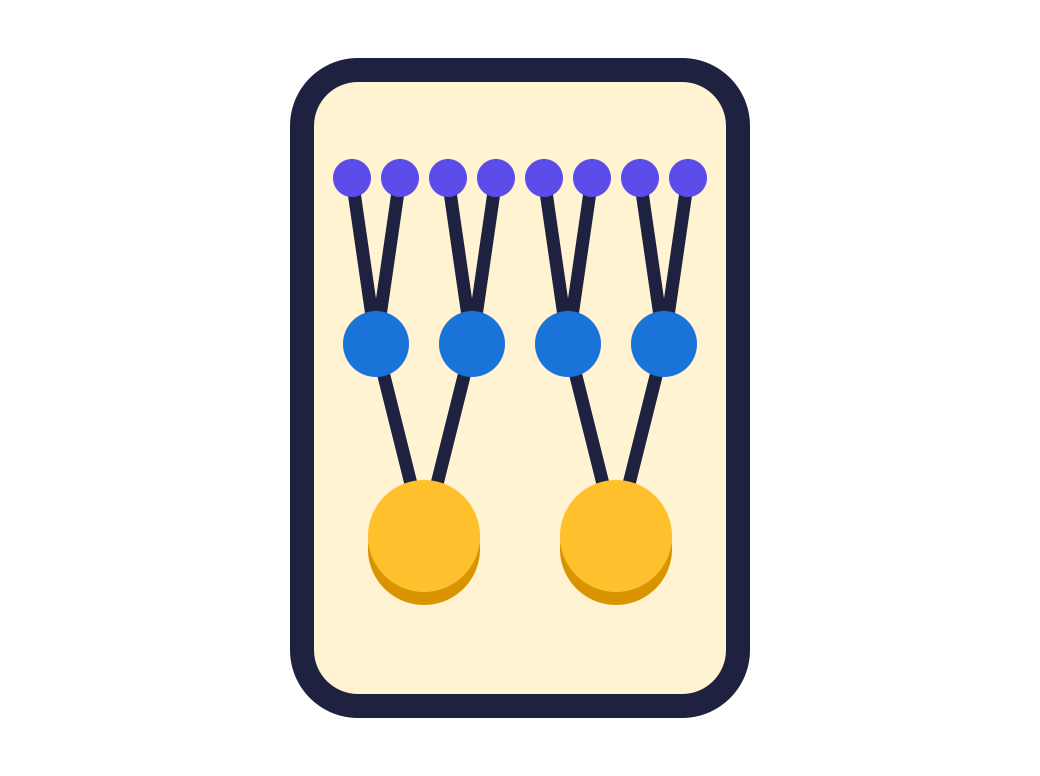
- Dot and Dash keys, with the letters laid out as the Morse code tree: Morse Keyboard. As of November 2026, it is the only Morse keyboard for iPhone we found that is laid out as the tree. It also has a QWERTY layout that shows each key's code, and Blindsight, which hides the tree so you key from memory. All three are free.
More on Morse keyboards for iPhone · Gboard's Morse layout on iPhone
To decode Morse you hear
Morse-It, Morse Master, Morse Code AI, MorseLux and Morse Keyboard list decoding from the microphone. Morse Code AI lists a neural decoder that follows up to 16 stations, and Morse Code AI and MorseLux (Pro) can also read flashing light with the camera; Morse Keyboard cannot. Morse Keyboard's three decode tools are free: the microphone, Tap to Decode (one key, from your own rhythm) and the Morse Machine paper tape.
To send with light and sound
Morse-It, Morse Mania, Morse Code Complete, MorseKit, MorseLux and Morse Keyboard send as both light and sound. Morse Keyboard has eight outputs: beep, whistle, train horn, buzzer and telegraph sounder, plus screen flash, flashlight (iPhone) and eye blink. Beep and screen flash are free. Its light signals stay at 6 WPM or slower, three flashes a second at most, and follow the Dim Flashing Lights and Reduce Motion settings. Mania, Complete, MorseKit and MorseLux also list vibration, which Morse Keyboard does not have.
With no subscription
Morse Code Complete, Kevin Tang's trainer, OCUTECH and the paid keyboards (CW Keyboard, Simple Morse Code Keyboard, Forethumb, Morse2Text, Morse Code Keys) sell no subscription. Morse Mania, Morse-It, Morse Master, Morse Code AI and MorseLux offer one-time or lifetime options next to a subscription. Morse Keyboard is free to download with a one-time Pro and no subscription.
If privacy matters most
Seven of the apps carry Apple's "Data Not Collected" label. Morse Keyboard has no account, no ads, no analytics and no network code at all, and its keyboard types without Full Access.
Everything in one app
This is where Morse Keyboard is built to win. As of November 2026, we found no other iPhone app that combines a Morse system keyboard, a structured course, microphone decoding and light-and-sound transmit, sells only one-time purchases (no subscription option) and collects no data. MorseLux comes closest: it has all four and collects no data, but sells Pro as a subscription ($3.99 a month, $8.99 a year) or lifetime ($24.99 offer, $44.99). Morse Keyboard is also the only one of these with a keyboard laid out as the Morse code tree. What you get in Morse Keyboard:
- Learn: 36 lessons in 6 units, a weekend and then four weeks, from Dot and Dash to all 26 letters, words, numbers, punctuation, Morse by ear and real messages. Day 1 is free.
- Practice: Daily mix drills your weakest letters, Typing sprint shows your words per minute, and the memory challenge reads Morse from beeps, screen flashes or eye blinks.
- Type: a system keyboard with three layouts, for Messages, Notes, Mail and your other apps, free with no limits.
- Transmit: any text as one of eight sound and light outputs.
- Decode: from the microphone, by tapping, or on the paper tape, all free. Decoded text can be sent straight into the keyboard (with Full Access on).
- Customize: 18 settings you set once, including 5 tones, 5–40 WPM, per-tone pitch and volume, plus 10 keyboard themes and the free Classic look in Auto, Light or Dark. As of November 2026, no other Morse keyboard listing we found offers a choice of tones.
Safety. In an emergency, call your local emergency number (for example 112 or 911). A phone light or speaker sending Morse is not a substitute for calling for help.
Where Morse Keyboard falls short
- It is not out yet. No ratings or reviews. Morse Mania has 8,421 US ratings.
- Not Koch-ordered, and the course's Farnsworth timing is fixed per lesson (15–20 WPM characters, 6–10 WPM overall). Mania and Morse Code Complete let you set the spacing.
- Lower top speed: 40 WPM, against 45 in Mania and 60 in Morse Code Complete.
- No straight-key, iambic or raw Dot-and-Dash mode in the keyboard. The paddles always type the decoded letter.
- A smaller course, with no prosign, Q-code, callsign or QSO training.
- No camera decoding, vibration output, audio export, hardware keys, Apple Watch app or widgets.
- English and the Latin alphabet only.
- iPhone and iPad only. There is no Android or web version of the app.
- Full Access is needed for keyboard sound, haptics, themes, hiding the palette key and sending decoded text to the keyboard, and keyboard sound and Dot-and-Dash haptics need Pro.
- Price: in the US store, regular Pro costs more than the one-time unlocks of Morse Master ($5.99), Kevin Tang's trainer ($4.99), Morse Mania's Pro Bundle ($8.99), Morse-It's learning features ($8.99 after the $0.99 app) and Morse Code Complete ($9.99). It costs less than the lifetime options of MorseLux and Morse Code AI, or a year of MorseKit or CodeMorse.
Is there a Duolingo for Morse code?
No. Duolingo's public course list, checked on 22 November 2026, has no Morse code course. If you want the Duolingo style of short lessons, streaks and XP, several Morse apps borrow it: MorseKit lists XP and hearts, Kevin Tang's trainer lists XP and streaks, and Morse Keyboard has a daily goal, streaks with streak freezes, three daily quests and 30 badges. Google also points Gboard users to a free Morse learning game at g.co/morse.
Free resources
- LCWO.net: a free Koch course in your browser, with code groups, callsigns, words and practice files. A free account saves your progress.
- Morse Code Ninja: free practice sets from 15 to 50 WPM on YouTube, podcasts and downloads, built for instant recognition.
- CWops CW Academy: free classes with volunteer advisors, in two-month sessions three times a year. Sign-up is required.
- Our Morse code translator and alphabet chart, with sound, free on this site.
- How to learn Morse code: our plain guide to getting started.
How we keep this page current
We re-check every listing each quarter and before any change to this page: prices, ratings, update dates, privacy labels and features. If you make one of these apps and something here is wrong, email support@morsekeyboard.com and we will fix it.